

PII Redaction
The Nexudus CLI automatically redacts personally identifiable information (PII) when it detects non-interactive execution, such as when output is piped to another tool or script. This is a security feature that prevents sensitive data (names, emails, phone numbers, addresses, dates of birth) from flowing into AI agent contexts or logs.Available since CLI v5.0.16. PII redaction is enabled by default and cannot be disabled by flags.
What is PII?
PII includes any information that can identify a real person:When is PII redacted?
PII redaction is automatic and structural — it depends on your execution context, not on flags you can omit:How to detect redaction status
Every CLI command response includes two fields that tell you whether PII is redacted:How PII looks when redacted
When PII is redacted, sensitive fields are replaced with deterministic tokens:Token anatomy
Why tokens?
- Stable: The same real value always produces the same token. You can reference entities by token across multiple commands.
- Opaque: Tokens cannot be reversed into real values. An LLM cannot derive personal data from a token.
- Obvious: Tokens are visually distinct from real data — not easily confused with actual emails or names.
- Resolvable: When you pass a token back to the CLI as an argument, it resolves to the real value before sending to the API.
Using tokens in commands
You can pass tokens back to the CLI as arguments — the CLI transparently resolves them to real values before sending to the API:Unlocking PII (browser-based 2FA override)
If you’re a human operator and genuinely need to see full PII in a non-interactive context (e.g., piping output tojq), you can temporarily unlock PII via a browser-based 2FA flow. This is a true second-factor mechanism — an LLM agent with terminal access cannot complete the flow because it cannot drive a browser session.
Unlock requirements
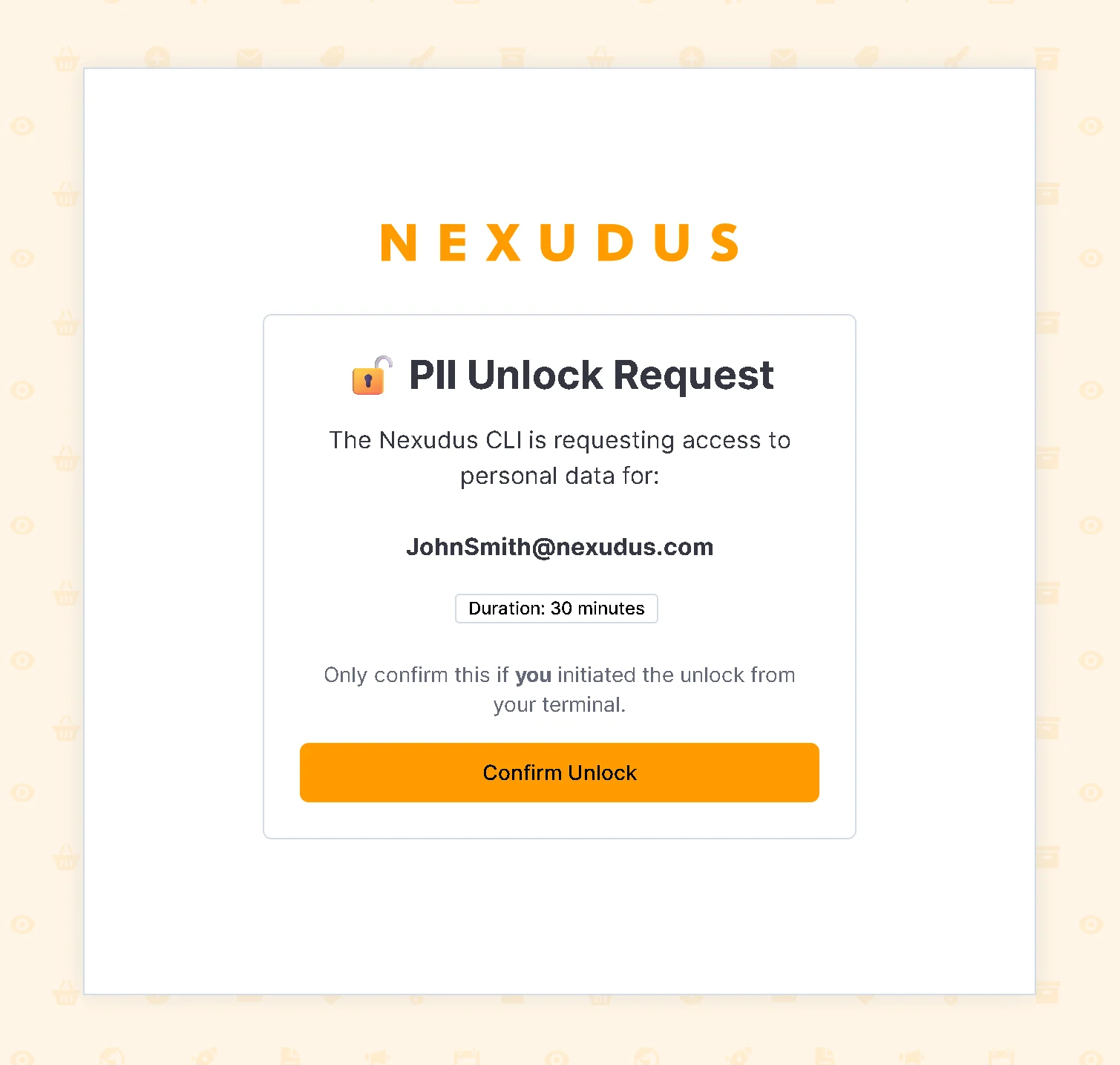
- Browser-based confirmation — the CLI opens your browser to the Nexudus admin panel where you must authenticate and confirm the unlock. There is no terminal prompt to confirm — agents cannot type “y” to bypass.
- Authenticated via admin panel — the confirmation POST is same-origin from the admin panel, protected by your Bearer token and CORS policy.
- Time-limited — defaults to 30 minutes. Maximum allowed: 8 hours. TTL clamped to 1–480 minutes.
- Challenge expiry — the unlock challenge expires in 120 seconds if not confirmed in the browser.
- Rate-limited — maximum 5 unlock challenges per user per hour.
- Auditable — unlock events are logged to telemetry (the fact that an unlock occurred, plus the TTL; no PII is logged).
How the 2FA unlock flow works

Browser-based 2FA unlock sequence
Why agents cannot bypass the 2FA unlock
Example unlock workflow
The CLI opens your browser and waits for confirmation
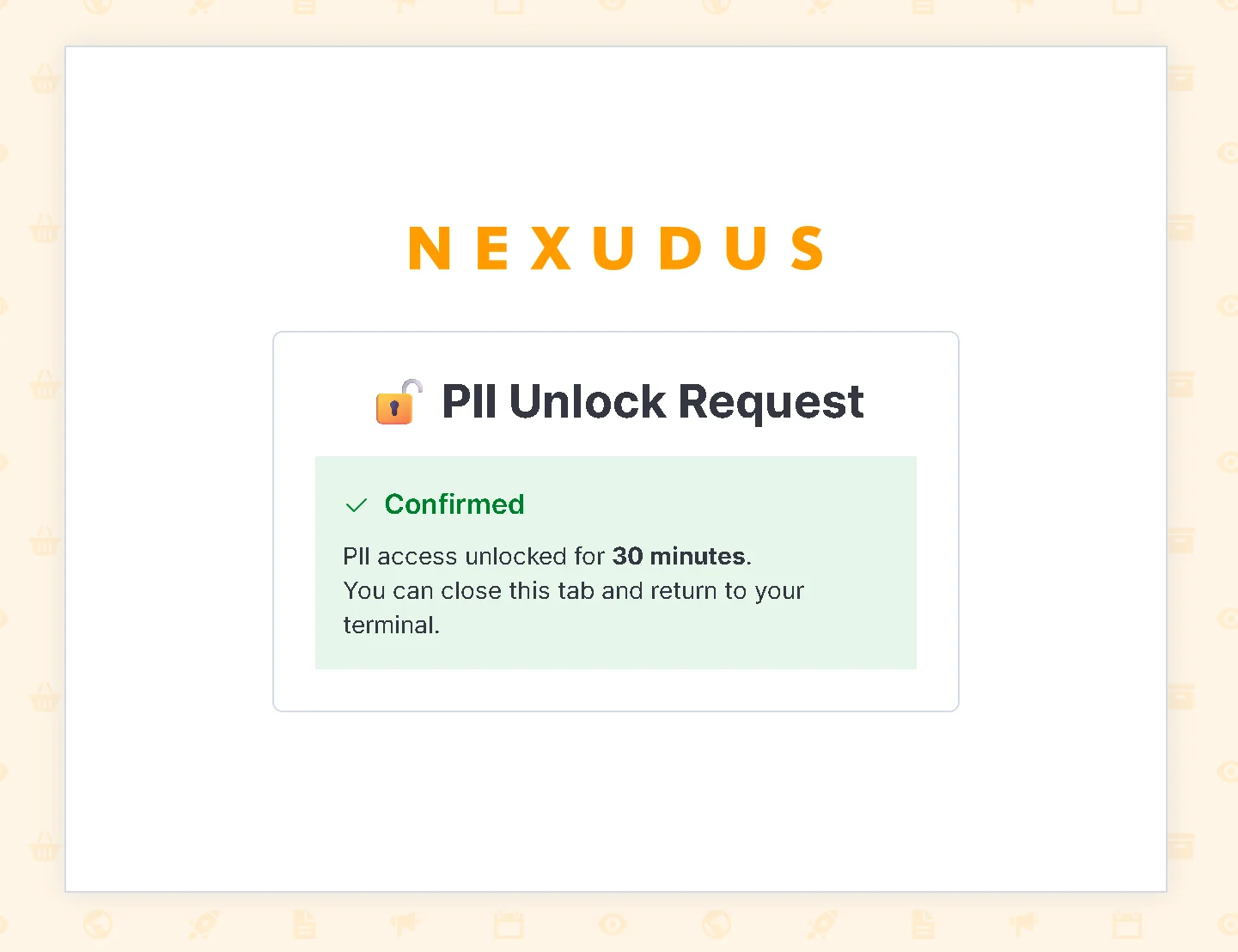
Admin panel confirmation page for PII unlock
Locking PII manually
To immediately stop allowing PII in non-interactive mode:PII redaction banner
Every CLI command displays a status banner that clearly states whether PII redaction is ON or OFF:Interactive terminal (PII visible)
Piped/redirected (PII redacted)
With unlock (PII visible + warning)
Threat model: What redaction protects against
PII token storage
The CLI stores a local mapping of tokens to real values in~/.nexudus/pii-tokens.json:
Important notes about token storage
- Local only: Token mappings are stored only on your machine. They are never sent to the API or stored in logs.
- Resolvable by CLI: When you pass a token as a command argument, the CLI looks it up in this file to recover the real value.
- Per-installation: Each machine has its own salt and token store. Tokens from one machine won’t match another.
- Human-readable for debugging: You can examine the file to understand which values have been tokenized.
Clearing tokens
To clear the local token store:Best practices for agents
✅ Do
- Use tokens: Read tokenized output from list/get commands and pass tokens back to update/create commands.
- Check redaction status: Always read
piiRedactionandpiiRedactionReasonto know the current mode. - Cache tokens: Store tokens in your agent state if you need to reference the same entity across multiple commands.
- Plan for token loss: Keep records of what you’re doing so you can re-fetch entities if needed.
❌ Don’t
- Do not attempt to reverse-engineer tokens — they’re salted and hashed, not reversible.
- Do not display tokens to end users as if they were real data — explain that they’re security redactions.
- Do not request PII unlock — it requires browser-based 2FA confirmation that agents cannot complete.
- Do not omit the
--agentflag to bypass redaction — redaction is structural, not flag-based. - Do not attempt to drive the browser 2FA flow — the confirmation requires an authenticated admin panel session with same-origin CORS protection.
- Do not store or log token mappings — the CLI handles storage locally.
Troubleshooting
I see tokens but want real data
Problem: Output is redacted when you need to see real values. Solution 1: Use an interactive terminal if possible — run the command directly in your shell. Solution 2: Unlock PII temporarily:I see “PII redaction: OFF” but expected tokens
Problem: You expected redaction but it’s not active. Reasons:- You’re in an interactive terminal — redaction is OFF by default for humans.
- A previous unlock is still valid — check
piiRedactionReason. - Your output is not being piped — TTY detection shows it’s interactive.
piiRedactionReason in the JSON envelope to understand why:
Tokens don’t resolve when I pass them back
Problem: Command fails with “invalid email” or similar when I use a token as an argument. Reasons:- Token was from a different machine/installation (different salt).
- Token store was cleared (
nexudus config set pii-clear-tokens). - Token format is incorrect or corrupted.
Unlock isn’t working
Problem:nexudus config set pii-mode unlocked fails or times out.
Possible reasons:
- Browser didn’t open — check your default browser configuration.
- You didn’t confirm in time — the challenge expires in 120 seconds.
- You’re not logged into the admin panel — you’ll be redirected to login first.
- Rate limit hit — maximum 5 challenges per user per hour.
FAQ
Can I disable PII redaction?
Can I disable PII redaction?
No. Redaction is structural and based on TTY detection — it cannot be disabled by flags. However, you can unlock it temporarily via the browser-based 2FA flow if you genuinely need full PII in a non-interactive context. The unlock requires authenticating in the Nexudus admin panel and cannot be automated by agents.
Why are tokens not reversed when I pass them to a script?
Why are tokens not reversed when I pass them to a script?
Tokens are salted per installation and stored in
~/.nexudus/pii-tokens.json. If your script runs on a different machine or in a Docker container without that file, tokens won’t resolve. The CLI will reject invalid tokens with an error.Can I extract all tokens from the token store?
Can I extract all tokens from the token store?
Yes — the file is in plaintext JSON at
~/.nexudus/pii-tokens.json. You can read and parse it for debugging. Never share this file or its contents with others — it exposes real PII.Is PII redaction available in all CLI commands?
Is PII redaction available in all CLI commands?
Yes. Every entity query (list, get, search) respects the PII redaction mode. Create/update commands also resolve tokens transparently. If a command doesn’t show PII fields, it’s not related to redaction.
What happens if an agent passes an unknown token?
What happens if an agent passes an unknown token?
The CLI tries to resolve it from the token store. If not found, it passes the token literal to the API. The API validation will reject it (e.g., “invalid email format”), and the command fails with that error. This is intentional — prevents accidentally using stale tokens.
Is PII redaction the same as encryption?
Is PII redaction the same as encryption?
No. Redaction is a display-time transformation. PII is not encrypted in transit or at rest — the CLI and API use HTTPS. Redaction is an additional layer that hides PII from agent contexts and logs, using local tokenization and salting.
Related documentation
- Output Modes — Understanding JSON, Markdown, and Agent output formats
- Authentication — Credential storage and login
- Agent Skills — Using the CLI with AI assistants