

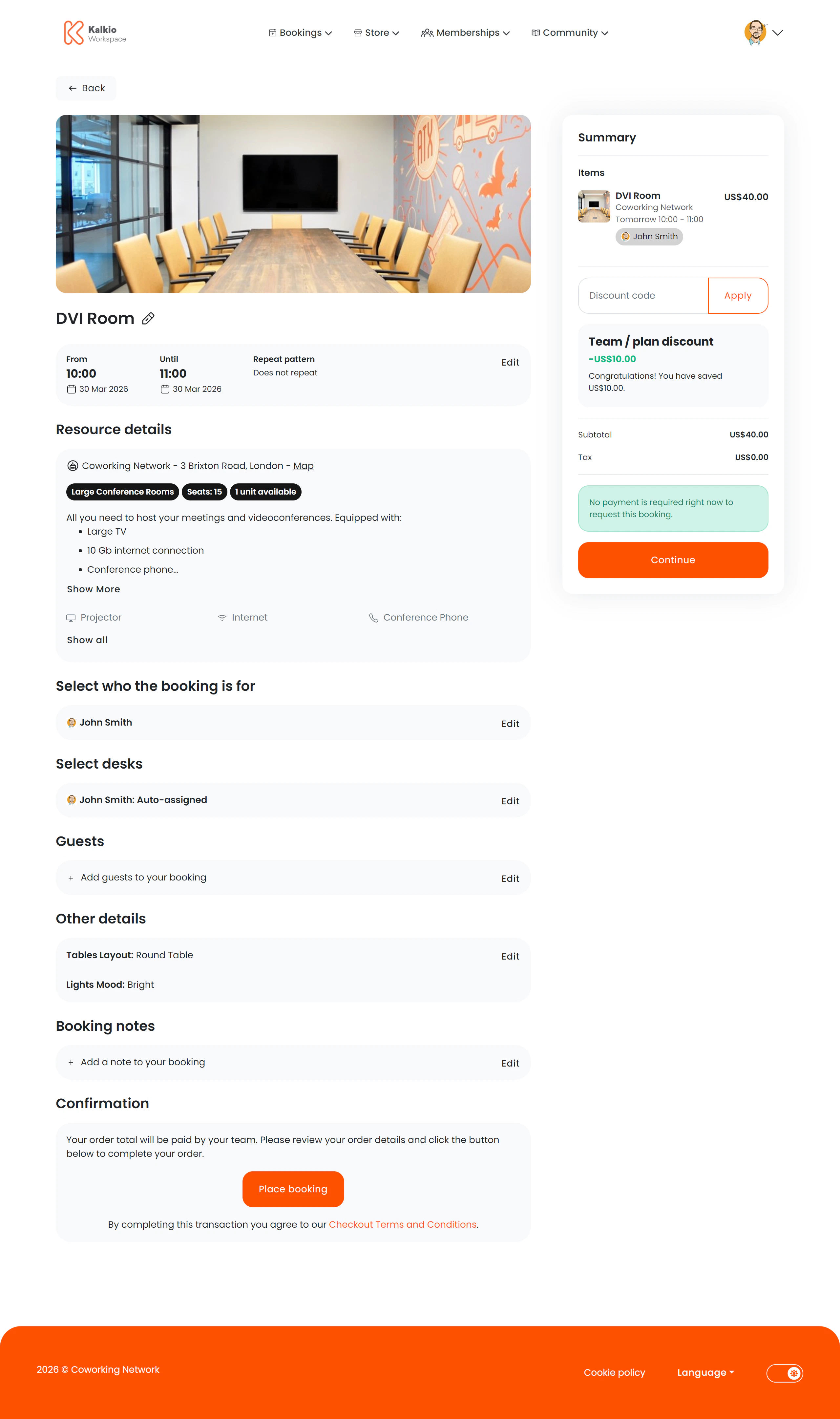
What members see
The page uses a two-column layout: booking details on the left and a basket summary on the right.Booking details (left column)
Basket summary (right column)
A running total showing line items, taxes, and the final amount. Updates in real time as the member adds or removes items.Key features
- Create or edit — the same page handles both new bookings and modifications to existing ones.
- Resource switching — members can change the selected resource via a modal without leaving checkout.
- Recurring bookings — set recurrence patterns for regular bookings.
- Real-time pricing — the basket recalculates as options change.
- Desk picker — visual desk selection for resources with assigned desks.
- Visitor tracking — add visitor names and details directly during checkout.