

How tours appear in the portal
Tours are available in two places:
Both entry points open the same tour booking form.
The “Book a tour” link only appears when tours are enabled and the location has billing configured. It is hidden from signed-in members.
Linking directly to the tour form
You can open the tour form on any portal page by appending?action=tour to the URL. For example:
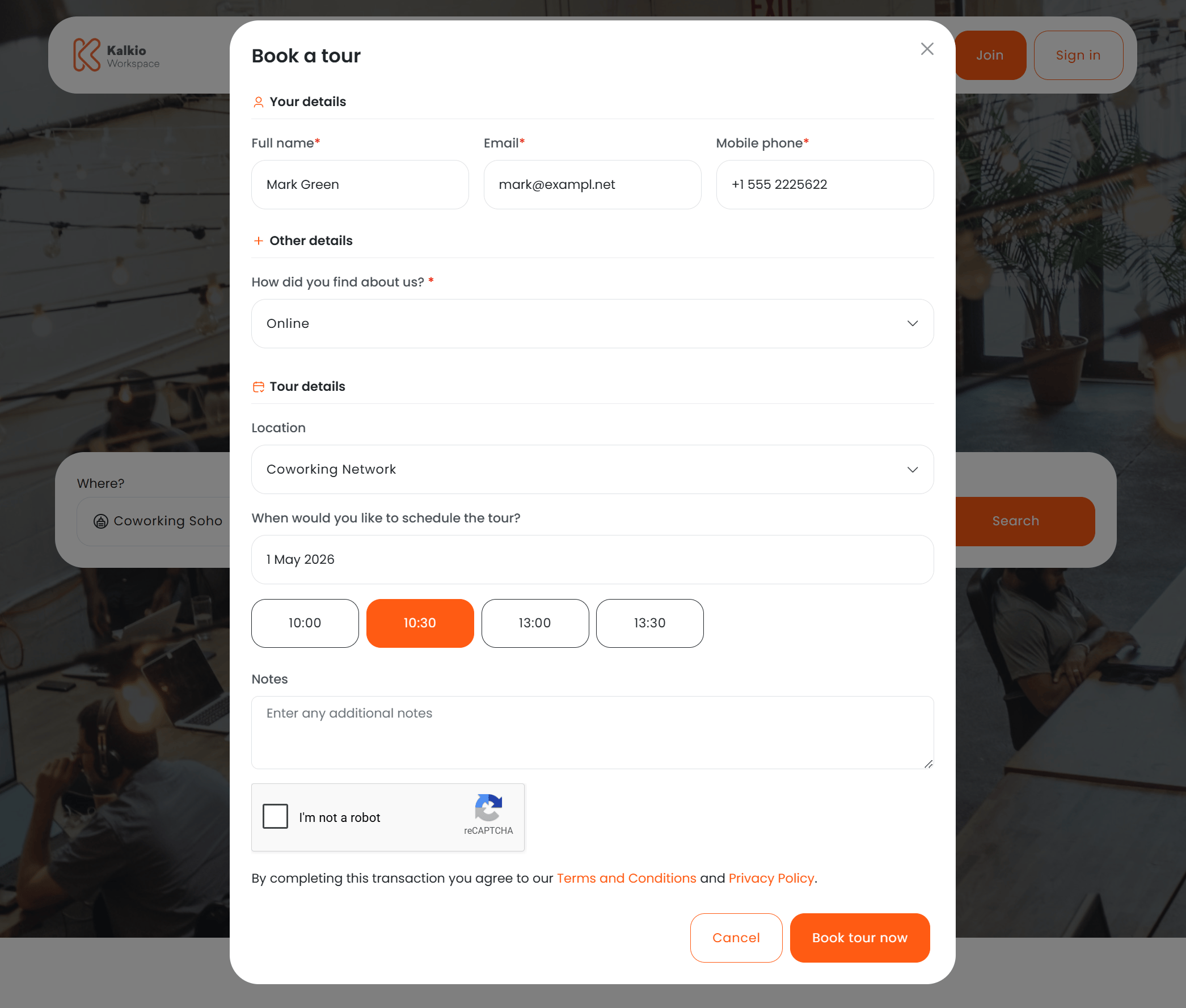
Tour booking form
The tour form collects the information needed to schedule a visit.Fields
Customising form fields
You can add extra fields to the tour form from the Nexudus dashboard under Settings > Sign-up and checkout > Forms. The Forms page lists all checkout flows that can be extended — click the Tour row to open its field editor.Unlike other checkout forms, the tour form only supports custom fields. Standard sign-up fields (billing details, profile, contact information, etc.) cannot be added because the visitor is not creating an account.
Date and time selection
When a visitor picks a date, the form displays the available time slots for that day as selectable buttons in 30-minute intervals. Only days that have at least one configured time slot are selectable in the calendar. If no time slots are available for the selected date, an informational message is shown instead of the time buttons.Validation
- The tour date must be at least one day in the future.
- The selected time must fall within a configured time slot for that day of the week.
- All required fields must be completed before submission.
reCAPTCHA and terms
The form includes Google reCAPTCHA to prevent spam submissions. Visitors must also accept your terms and conditions before booking.Calendly integration
If you prefer to use Calendly for tour scheduling, you can enable the Calendly integration instead of the built-in time-slot picker. When active, the tour form displays an embedded Calendly widget where visitors select their preferred time directly within Calendly’s interface. With Calendly enabled:- The location dropdown and Calendly embed are shown instead of the date/time picker and contact fields.
- Visitor details and scheduling are handled entirely through Calendly.