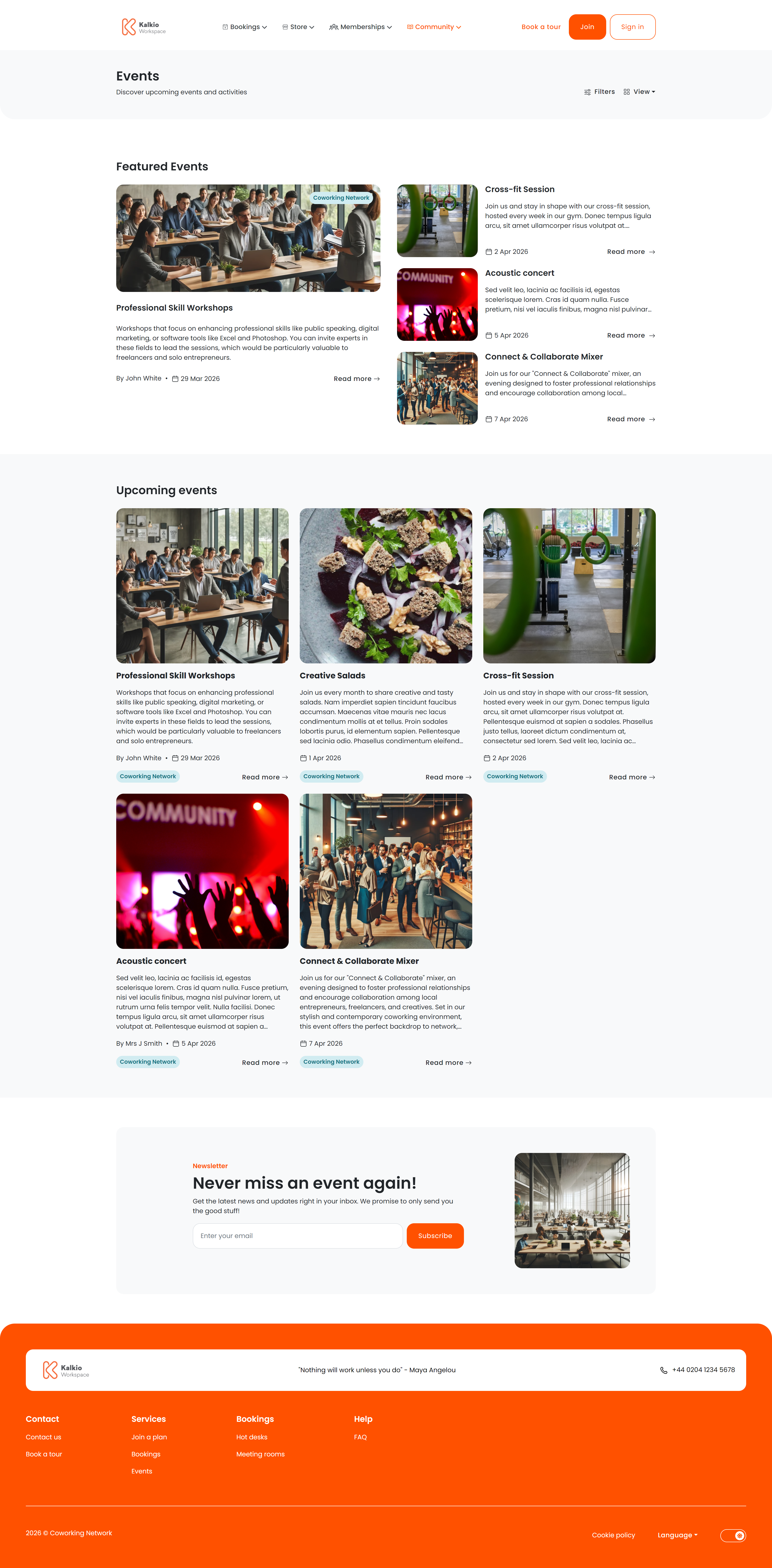
The events section lets members discover upcoming happenings at your coworking space — workshops, networking sessions, socials, and more. It includes a listing page and a detail page for each event.
Events listing page

Events listing page

The listing page shows all published events with powerful filtering and two view modes.

View modes

Members can switch between views using the toggle in the top-right corner. On the first page of results, a dedicated Featured Events section highlights events you have marked as featured in the dashboard. This section does not appear on subsequent pages.

Event details page

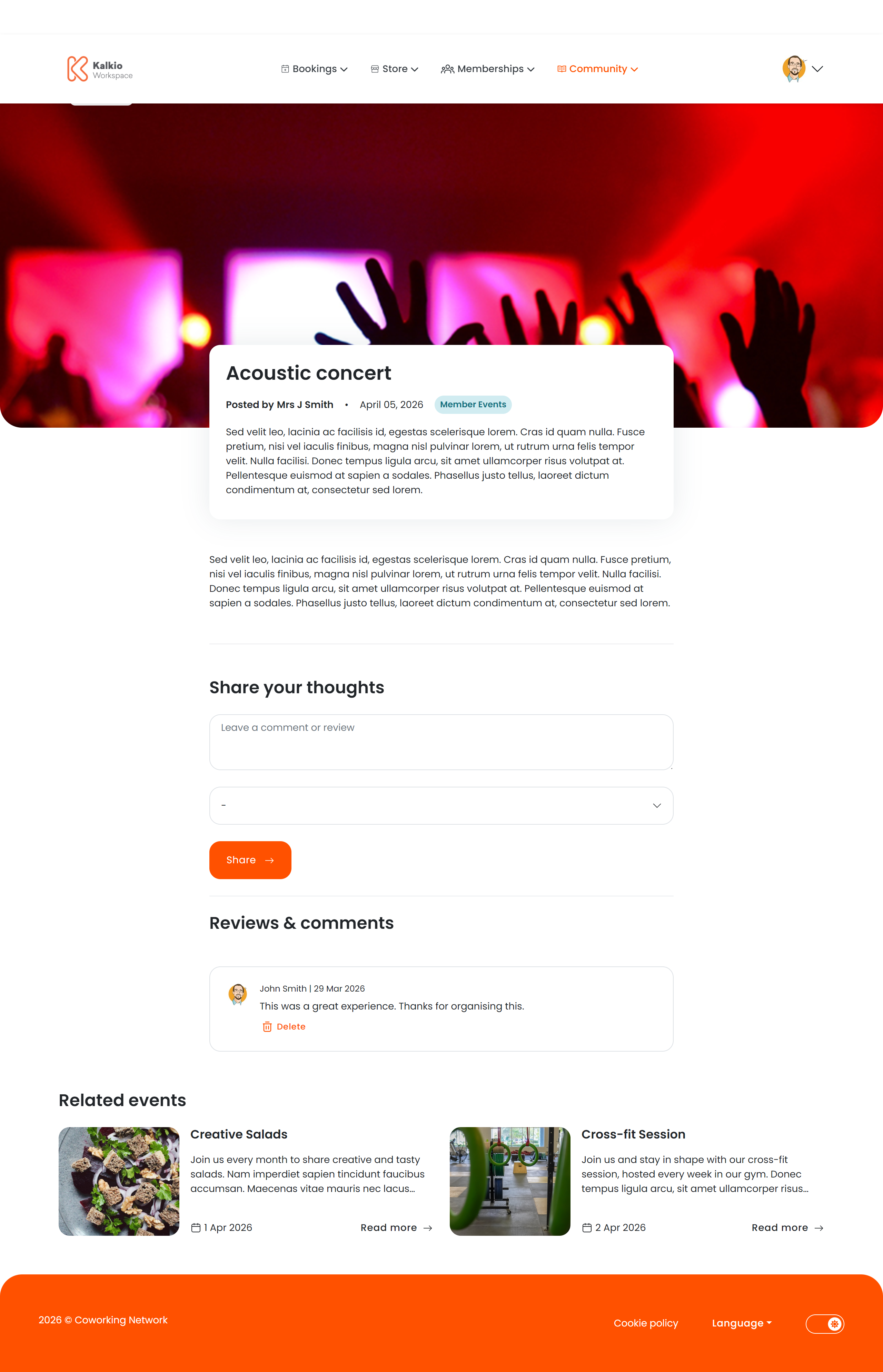
When a member clicks an event, they see the full details.
Event details page

Information displayed

  • Event name, date, and time range
  • Location and venue with map link
  • Host / organiser name
  • Full description rendered from rich text / markdown
  • Tickets — each ticket type shows its price and remaining availability. When tickets sell out, a “Sold out” badge appears.
  • Waiting list — if enabled, members can join a waiting list for sold-out events.

Comments

Members can leave comments with a text body and a star rating. Comment authors can delete their own comments. You can enable or disable the comments section from the Page Editor. A “Related Events” section shows similar events based on category, encouraging members to discover more. This section can also be toggled on or off.
Events use two images: a large image and a small image. Each is requested at different sizes depending on context.

Large image

Small image

For the best results across all contexts, upload a large image of at least 1280 × 520 px (landscape, ~2.5:1 ratio) and a small image of at least 600 × 540 px (nearly square). This avoids cropping in all areas of the portal.