

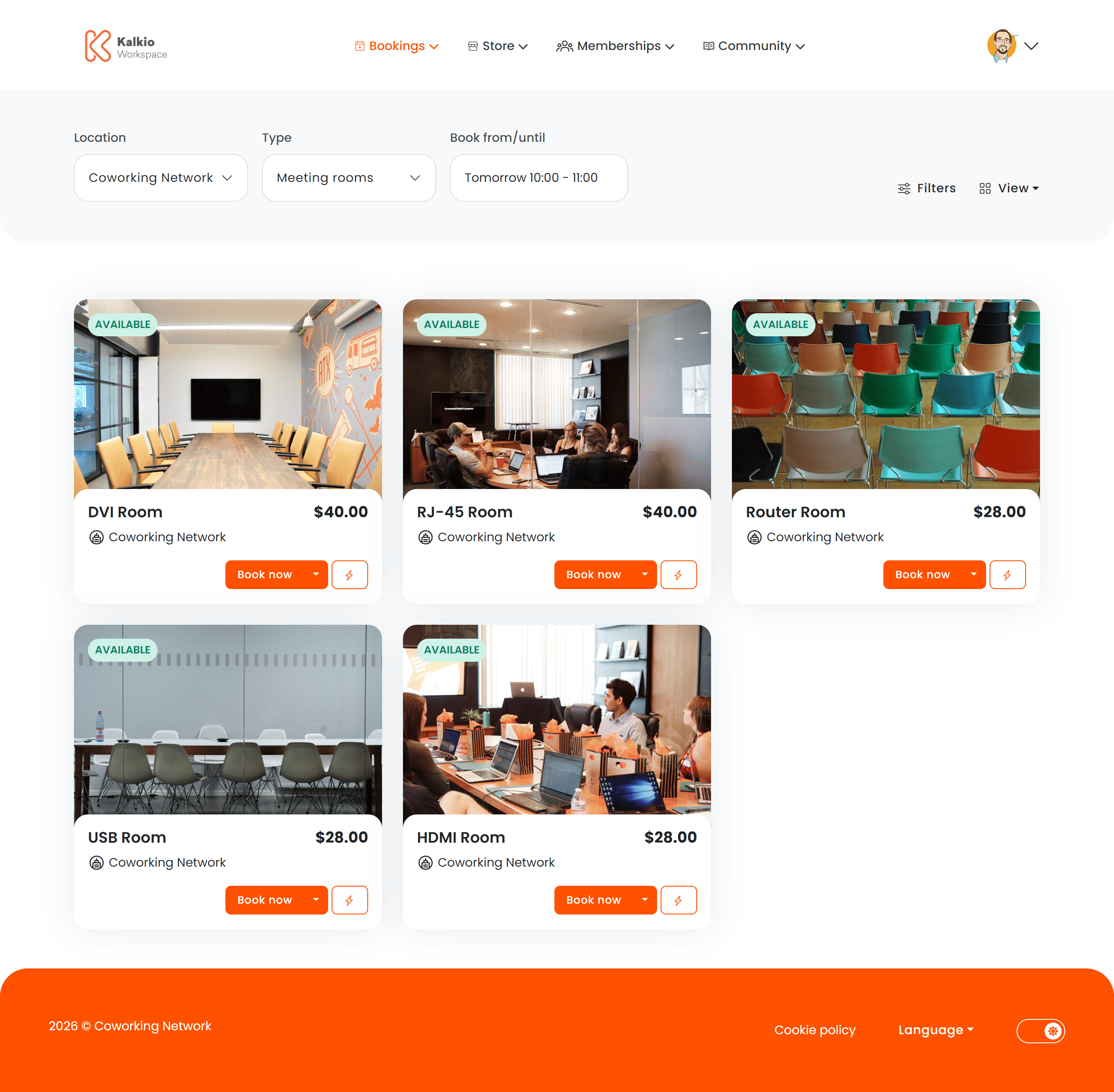
What members see
Resources are displayed as cards in a responsive grid. Each card can show:- Resource name and image
- Capacity (number of seats / people)
- Price per booking unit
- Availability status indicator
- Instant book button — book a resource directly from the card without navigating away
View modes
The Resource List supports multiple ways to browse available spaces:
Members can switch between available views using the view selector controls.
Filtering & search
Key features
- Instant booking — members can book a resource directly from the listing without opening a separate checkout page.
- Real-time availability — resource cards show current availability status so members know what is free right now.
- Multi-location support — resources from all your locations are browsable in a single view.
- Responsive layout — the grid adapts to screen size for a consistent experience on desktop and mobile.
How to configure
From the Page Editor you can control:Multi-location booking behaviour
When your network lists resources from multiple locations on a single site, the Set the home location of new customers based on the location of the resource setting (internal name:PublicWebSite.Bookings.PreserveWebAddress) controls what happens when a customer clicks on a resource to book it.
This setting only applies when a location is configured to display resources from other locations in the same network.