

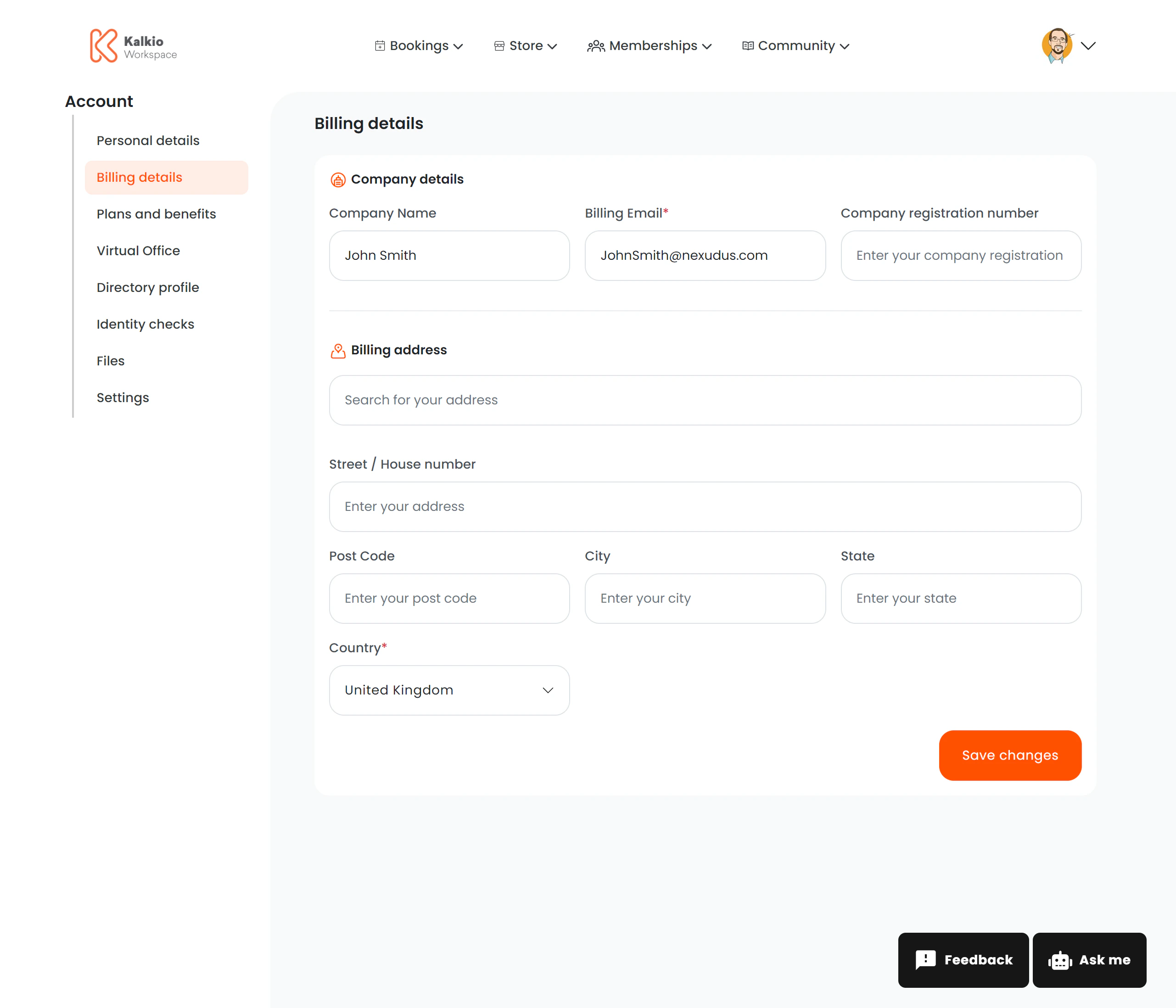
What members see
The page is split into two sections:Billing Details
Members can edit and save these details independently.
E-Invoicing (conditional)
This section only appears if Storecove (electronic invoicing) is enabled for your location. It lets members manage their e-invoice identifiers for automated invoice delivery.Invoicing in Mexico (CFDI) (conditional)
This section only appears when the member’s invoicing location issues Mexican CFDI invoices through Facturapi (Mexican invoicing (CFDI) in Nexudus Flow). It collects the fiscal data their CFDIs are stamped with, exactly as the SAT holds it. Members first answer Do you have a Mexican RFC?:
They save with Save changes. A status line shows where they stand: Confirmed with the SAT (checked with the SAT when saved), Saved, No RFC: your invoices are included in the global invoice, Billed outside Mexico, or Missing: we cannot issue your invoices until you complete it.
The same data appears on the customer’s record in Nexudus Flow (Billing section, Mexican invoicing (CFDI)), where your team can also edit it or email the member a Facturapi link to complete it.
Key features
- Split layout — billing details, e-invoicing and CFDI are independent sections.
- Conditional rendering — e-invoicing only shows when the Storecove integration is active, and the CFDI section only when the location stamps CFDI.
- Analytics — billing updates are tracked (“billing_details_updated” event).