

Articles
The articles section gives your space a content marketing channel directly inside the portal. Publish articles about community news, industry insights, or space updates.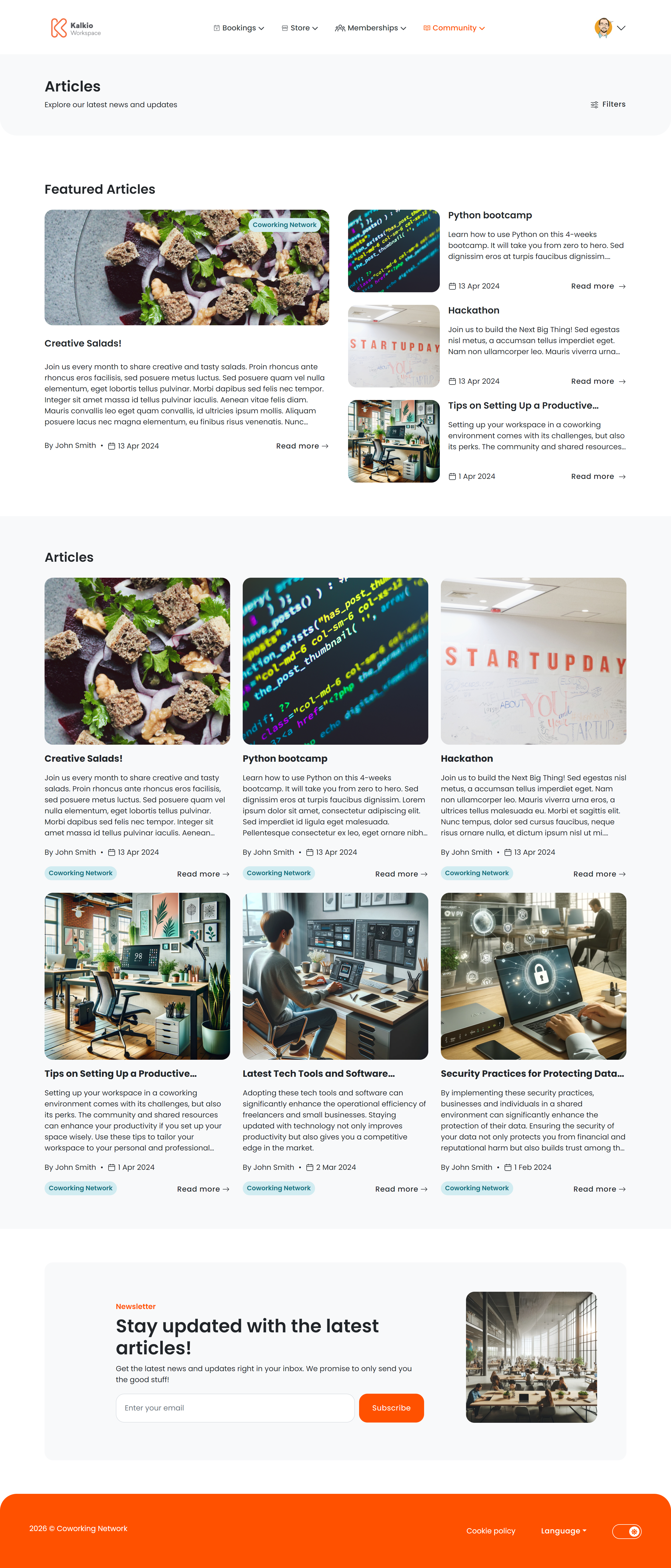
Article listing page
The listing page shows all published articles in a card grid.What each card shows
- Title and summary excerpt
- Featured image
- Author / “posted by” name
- Publication date
- Category tag
Filtering & search
Pagination loads 9 posts per page with previous/next navigation.
Featured posts
On the first page, a Featured Posts section highlights articles you have marked as featured.Newsletter signup
A Newsletter subscription section appears at the bottom of the listing page so visitors can opt in to email updates.Article details page
Clicking a post opens the full article view.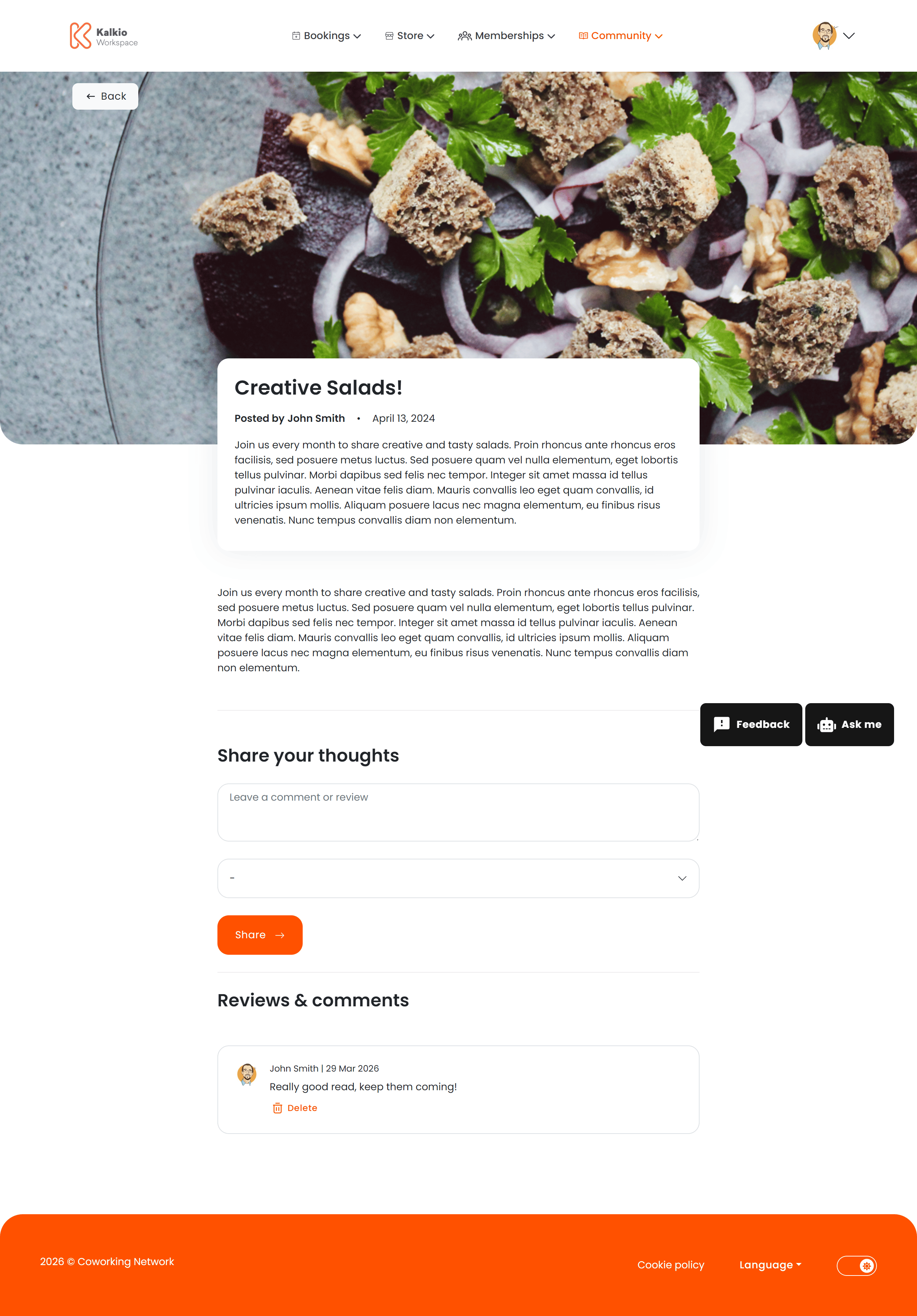
Information displayed
- Full article content — HTML / markdown rendered with formatting preserved
- Author and publication date
- Category
- Hero image